

Scheduling
A post goes out when you say
Pick a date and a time, and the post goes live by itself. Until then it waits as a draft, and you can keep changing it.
Product Blog
Write posts in the same builder as your pages, in every language of your site. Categories, search engine fields and a design for every post are there from the start. With the Pro plan, the site also reads your posts aloud.
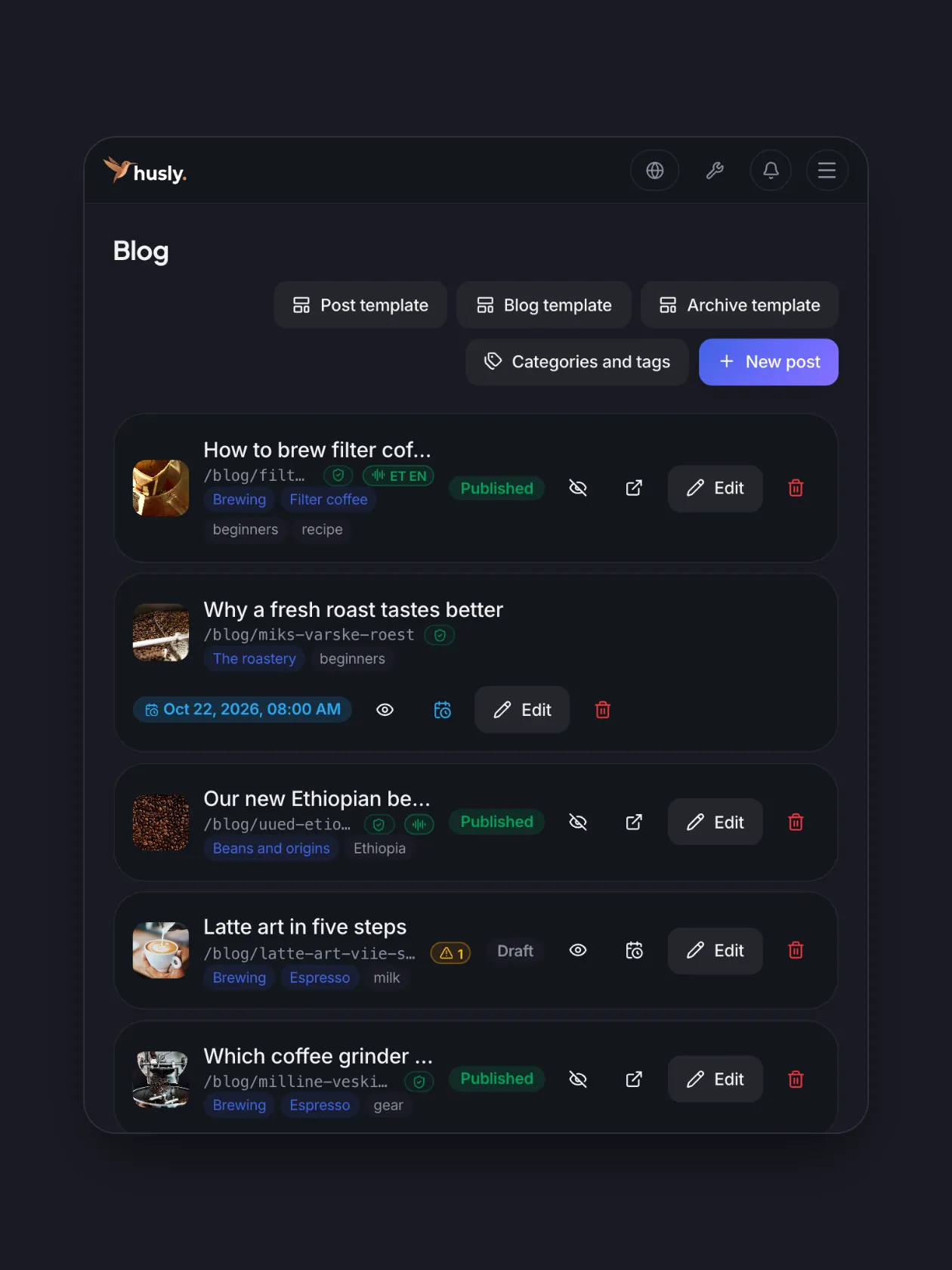
Posts
Drafts, published and scheduled posts sit in one list. Each row shows its categories, whether the post has a reading and whether its search engine fields are in order.
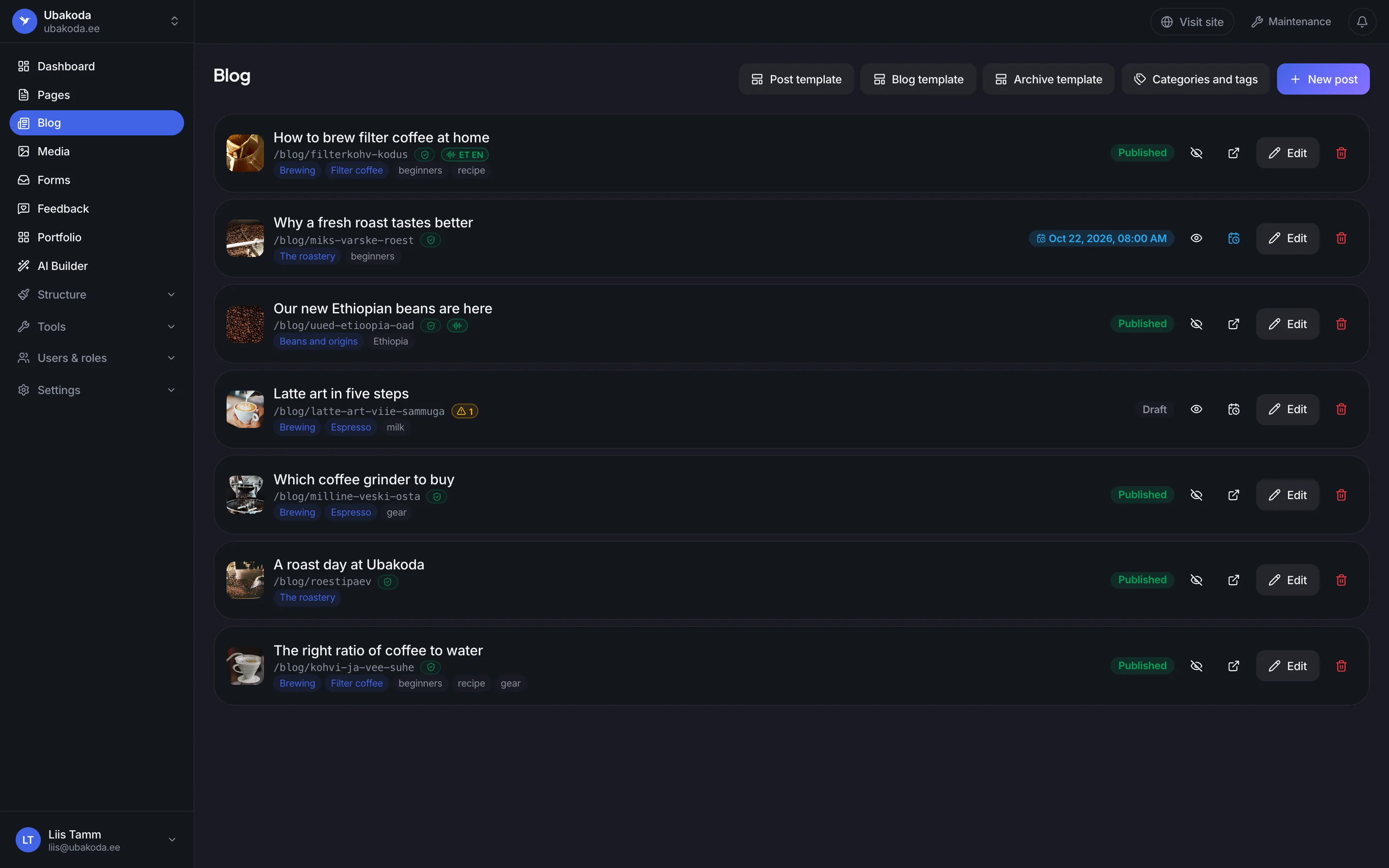
The green mark says the post has a reading in Estonian and in English.
A post with a time waits as a draft and goes live at exactly that moment.
The latte art post has no search engine description yet. The row says so before you publish.
The editor
A post is made of the same blocks as a page: text, pictures, galleries and tables. You see the post the way the reader sees it, and every language of your site has its own text.
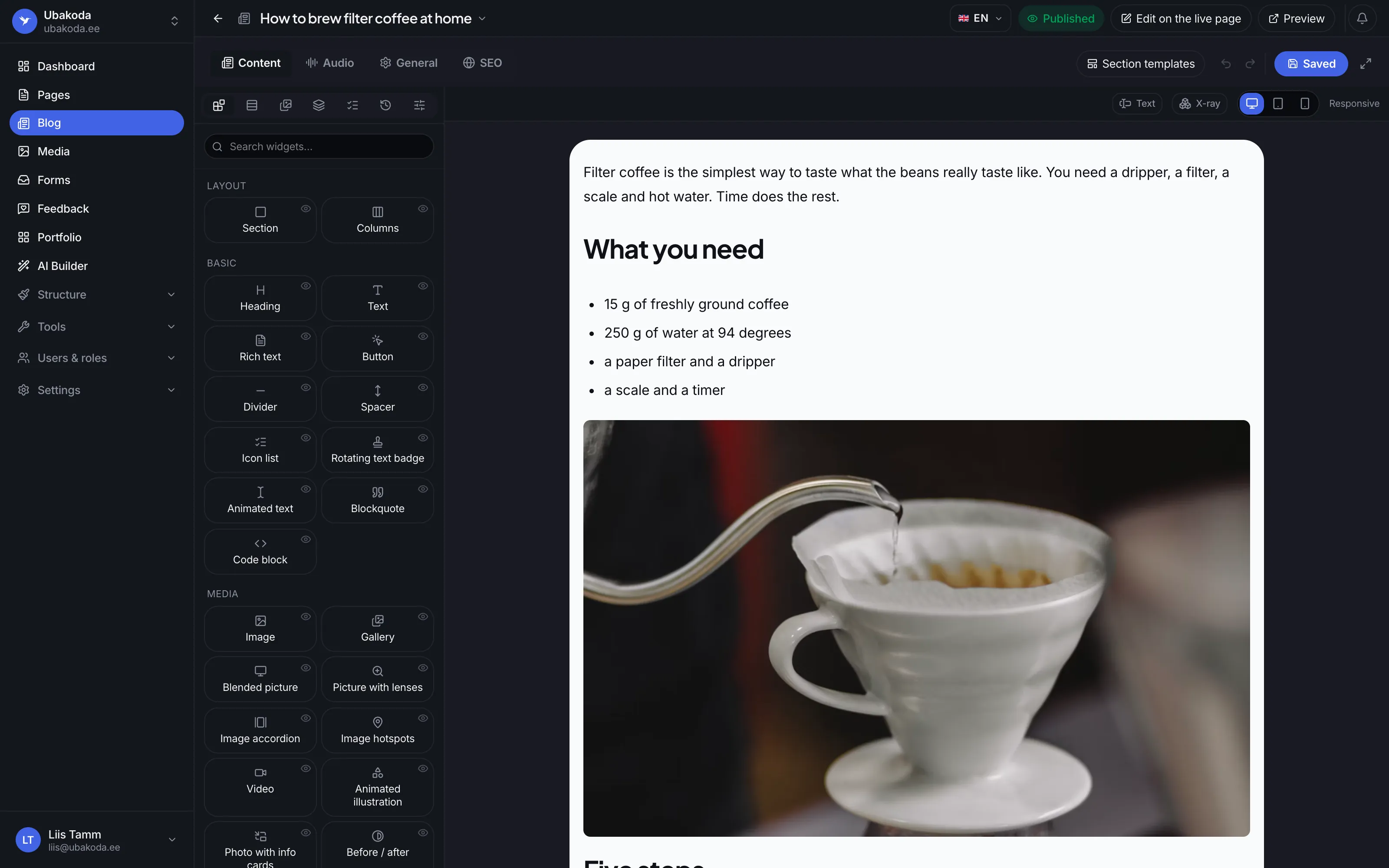
Text, pictures, galleries, tables and every other block of the builder.
What you see in the editor is what the reader sees.
Switch the language and write the same post in English. The address can be different in each language too.
Categories and tags
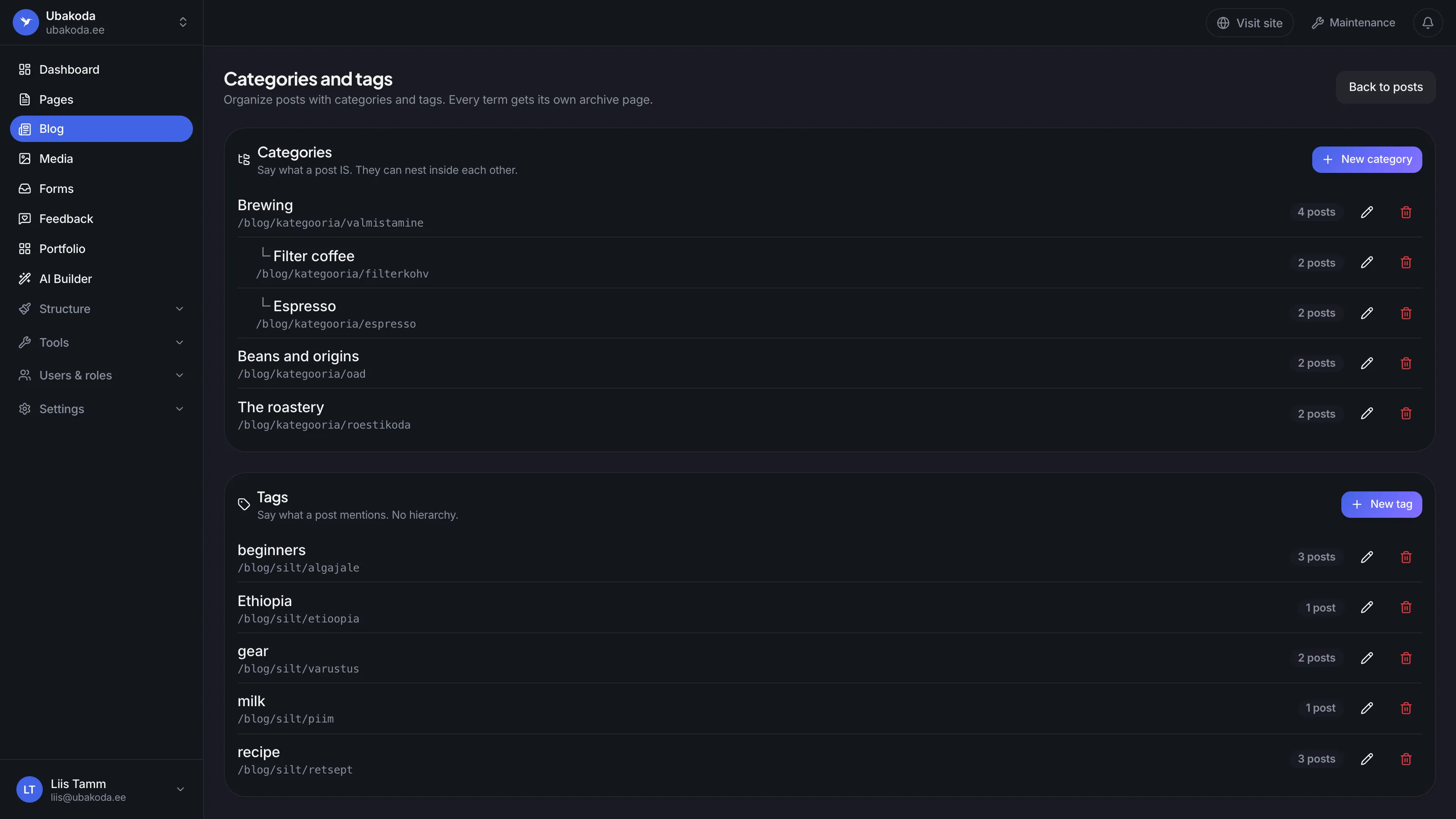
Categories can sit inside each other. Every category and tag gets a page of its own with its posts, and those pages reach the sitemap too.
Its address shows every post in the category. The page makes itself.
Filter coffee and Espresso sit under Brewing.
A tag says what a post mentions. Tags have no levels.
The post template
The template wraps every post: the header with the cover, the date and the reading time, and what comes after the text. The blog page and the category and tag pages have templates of their own. Every template is made in the builder.
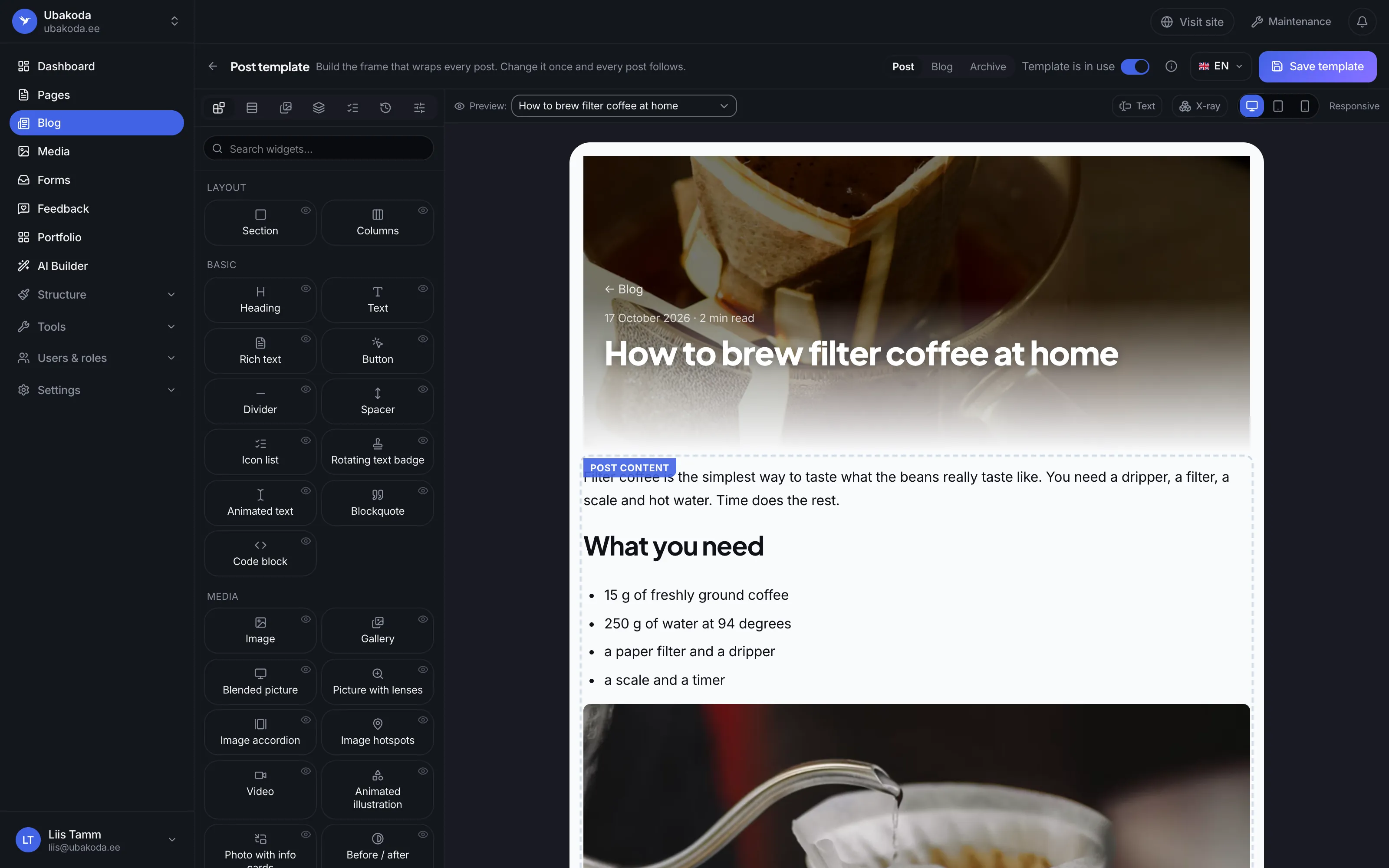
One for a post, one for the blog page and one for the category and tag pages.
Pick any post and see the template around it.
The header fills itself from the post: the cover, the title, the date and the reading time.
The template wraps every post. Change it once and every post follows.
Listen to articles
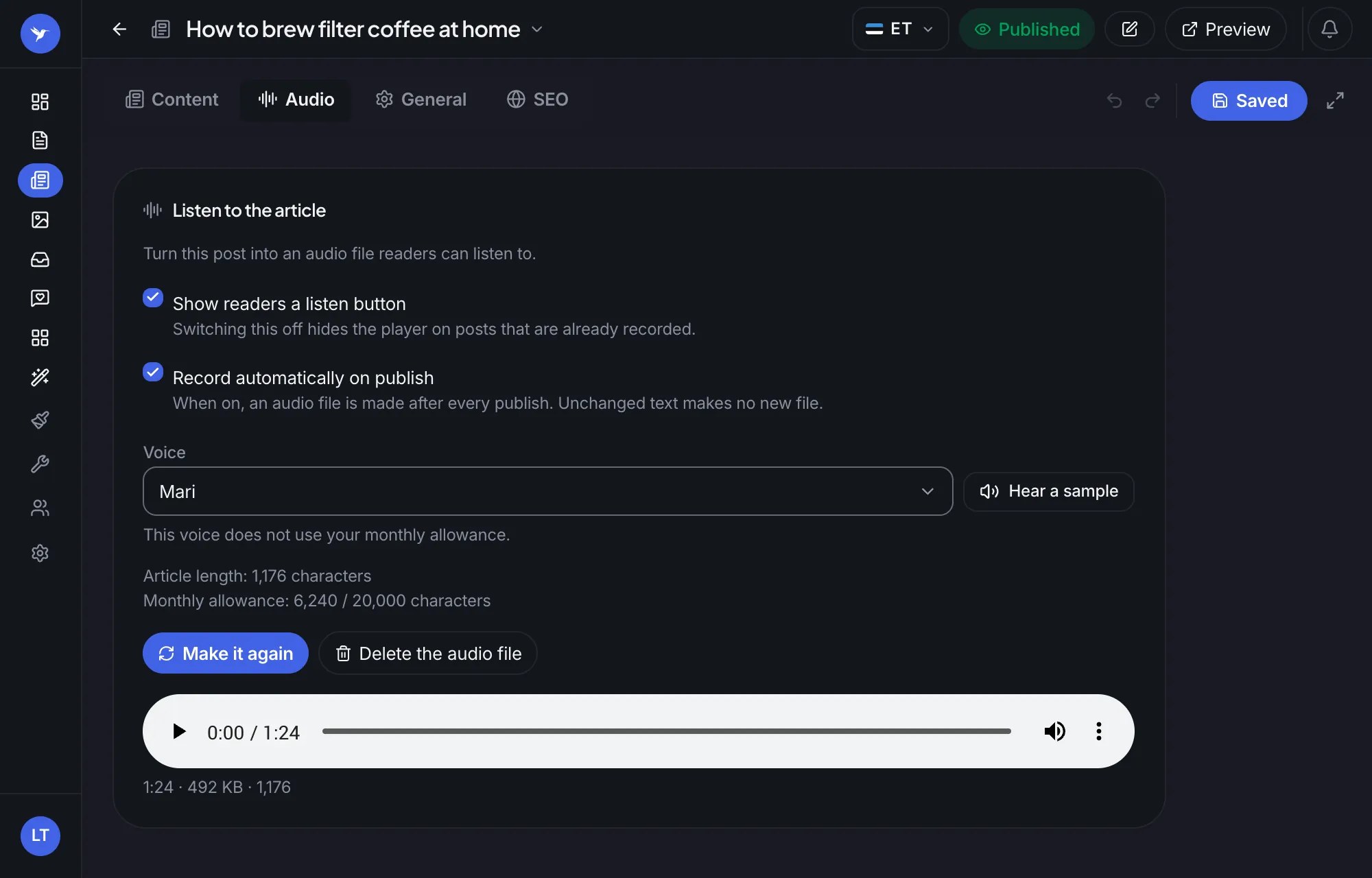
On the Pro plan every post gets a player that reads it aloud. The University of Tartu's Estonian voices cost nothing. The AI plan adds studio voices that speak English too.
The University of Tartu's voices do not use your monthly allowance.
Every publish makes a new file. Unchanged text makes no new file and costs nothing.
One minute and 24 seconds. The reader gets a player on the post.
Search engines
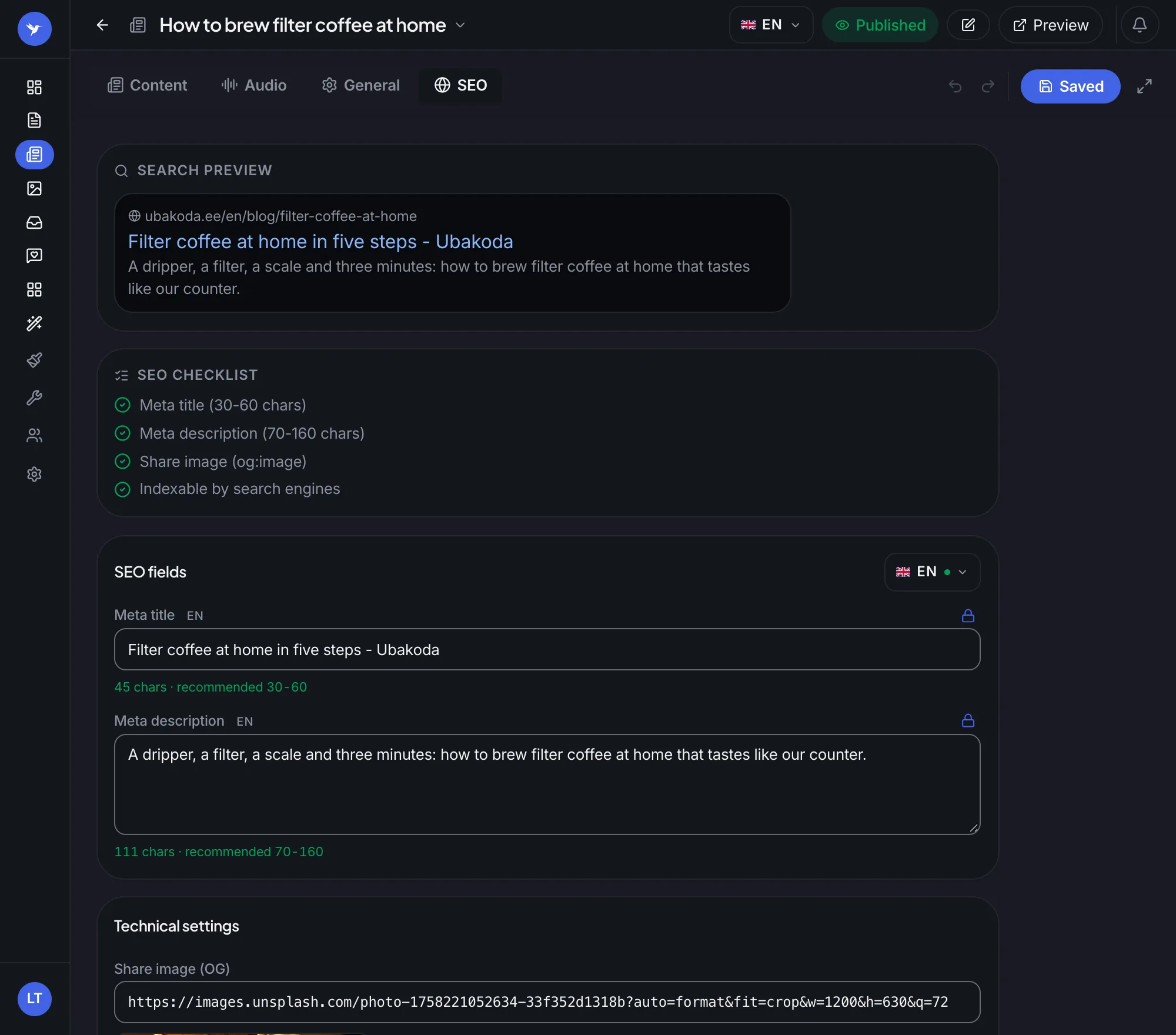
Each language has its own title, description and address. A preview shows how the post looks in Google, and a checklist says what is missing. On the Pro plan, AI suggests the title and the description.
The preview changes as you type, in each language on its own.
The title, the description, the share picture and indexing, all checked before you publish.
The count turns green when the title fits a search result.
A good blog is more than its text. The site does the rest.
Scheduling
Pick a date and a time, and the post goes live by itself. Until then it waits as a draft, and you can keep changing it.
Being found
Every post tells search engines its author, its date and its picture. Posts and their category and tag pages reach the sitemap.
AI
On the Pro plan, AI writes a draft from the title straight into the builder. You correct it and publish.
WordPress
Posts, pages, categories and tags come over with their addresses, and the pictures move into your media library.
The blog is in every plan, the Free plan too, and there is no limit on the number of posts. Reading aloud and AI writing start at the Pro plan, studio voices at the AI plan.
Yes. Every post has its own title, text, address and search engine fields in each language of your site. In the editor you switch the language with one button.
The University of Tartu's free voices speak Estonian and Võro. The AI plan's studio voices also read English and many other languages, and the plan has 20,000 studio-voice characters a month.
Yes. Give the address of your WordPress site, and the posts, pages, categories and tags come over with their addresses. The pictures move into your media library, so the old server does not have to stay.
The blog has its own page with every post, and so does each category and tag. To show the latest posts on another page, the home page for example, add a block for them in the builder.
When you delete a post, you can choose a page its old address sends readers on to. That way links and search results keep working.
Create your site and the blog is there at once, on the Free plan too. The first post is as easy as a page.