

Project pages
Every project has its own address
A project page lives at /work/project, and you pick the first word yourself. When you change the word or a project's address, the old address sends visitors on to the new one.
Product Portfolio
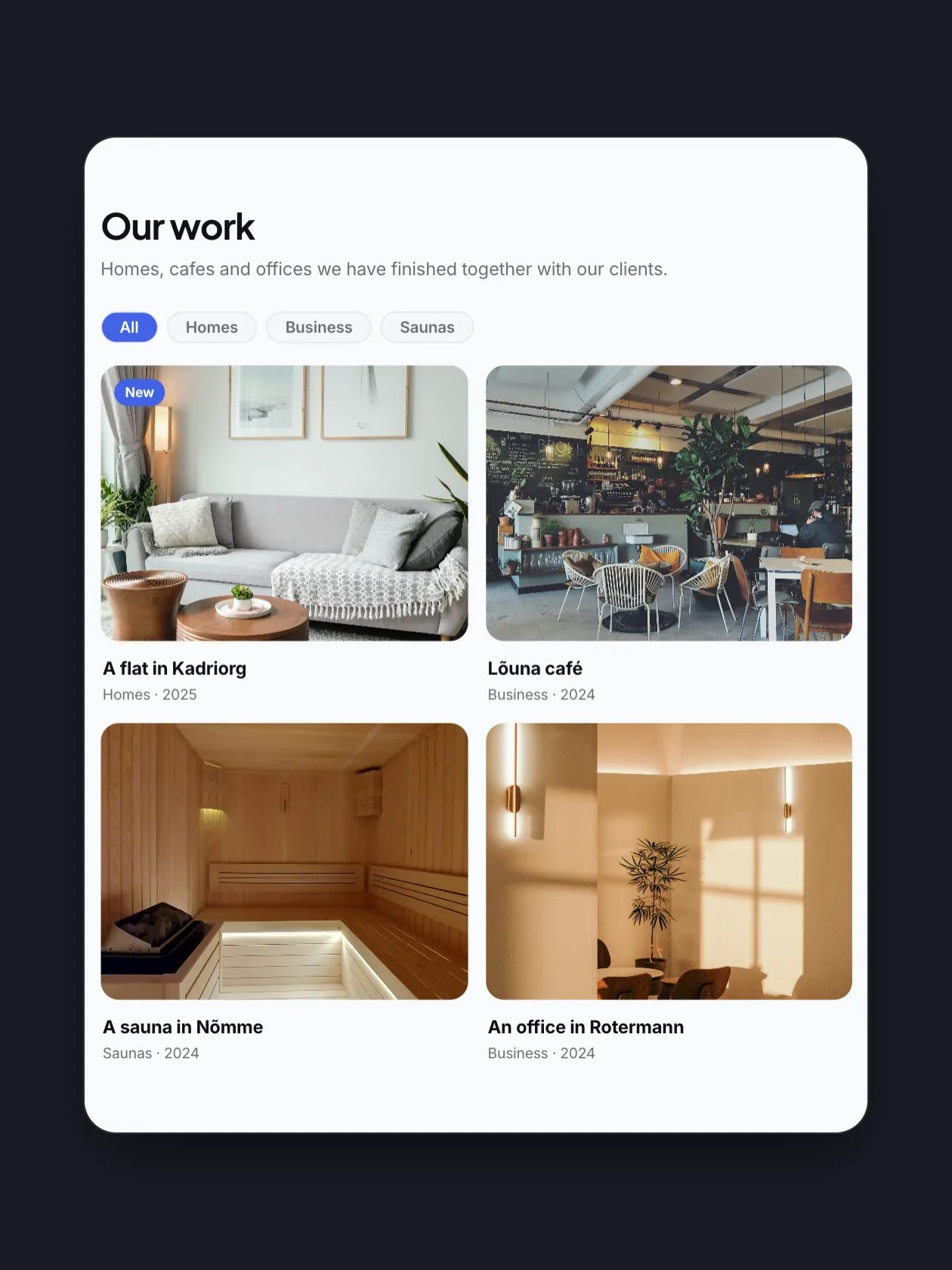
Add each project once, with its photos, its client and its story. Then show it on any page in five layouts with filters, and give every project a page of its own.
Projects
Every project is one row with its photo, its category and its client. Featured projects and drafts stand out, and you set the order with the arrows.
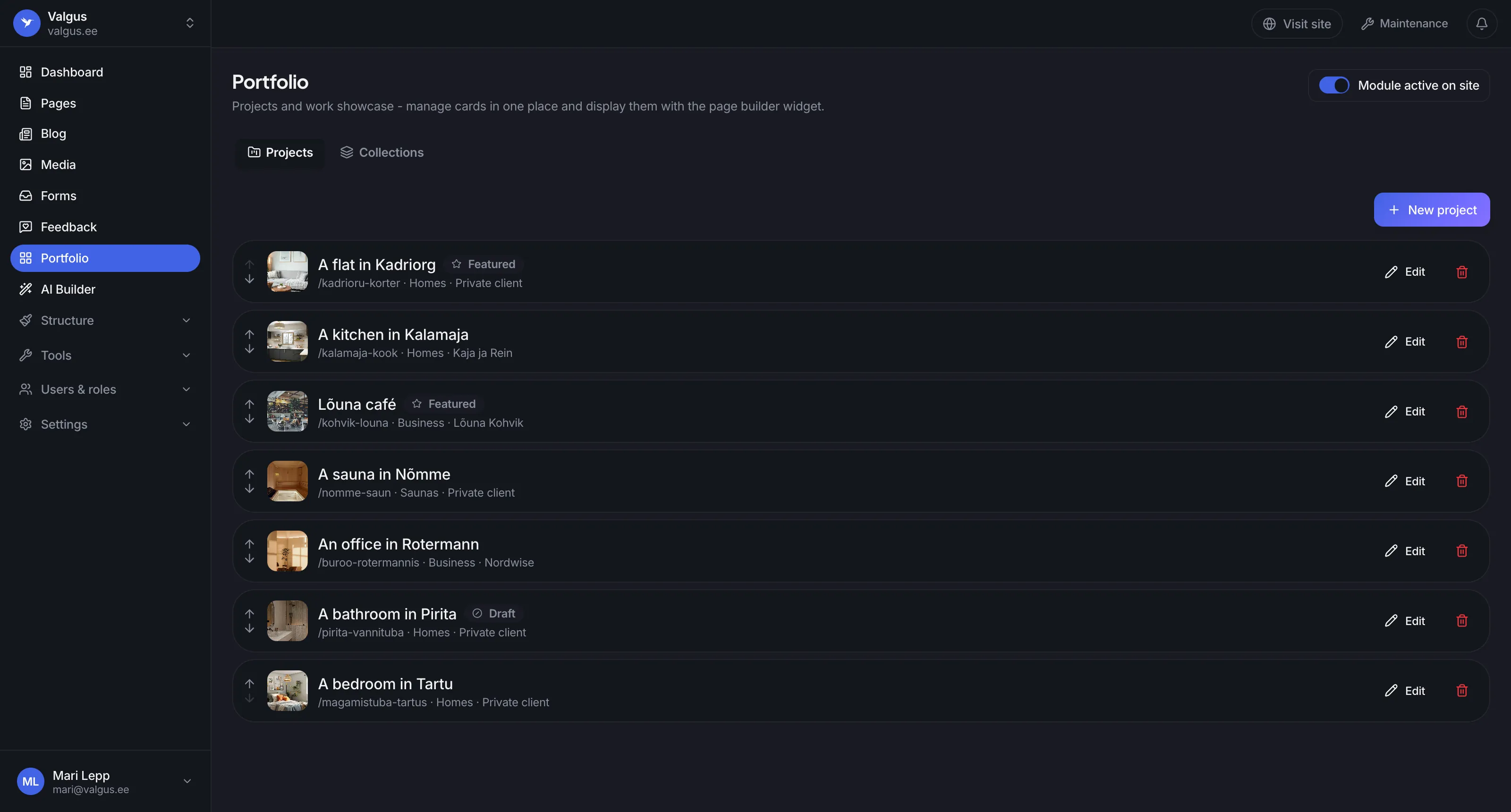
The arrows move a project up or down. The page shows the projects in the same order.
Featured projects can come first on the page.
The Pirita bathroom reaches the site only when you publish it.
The portfolio shows on the site only while this switch is on.
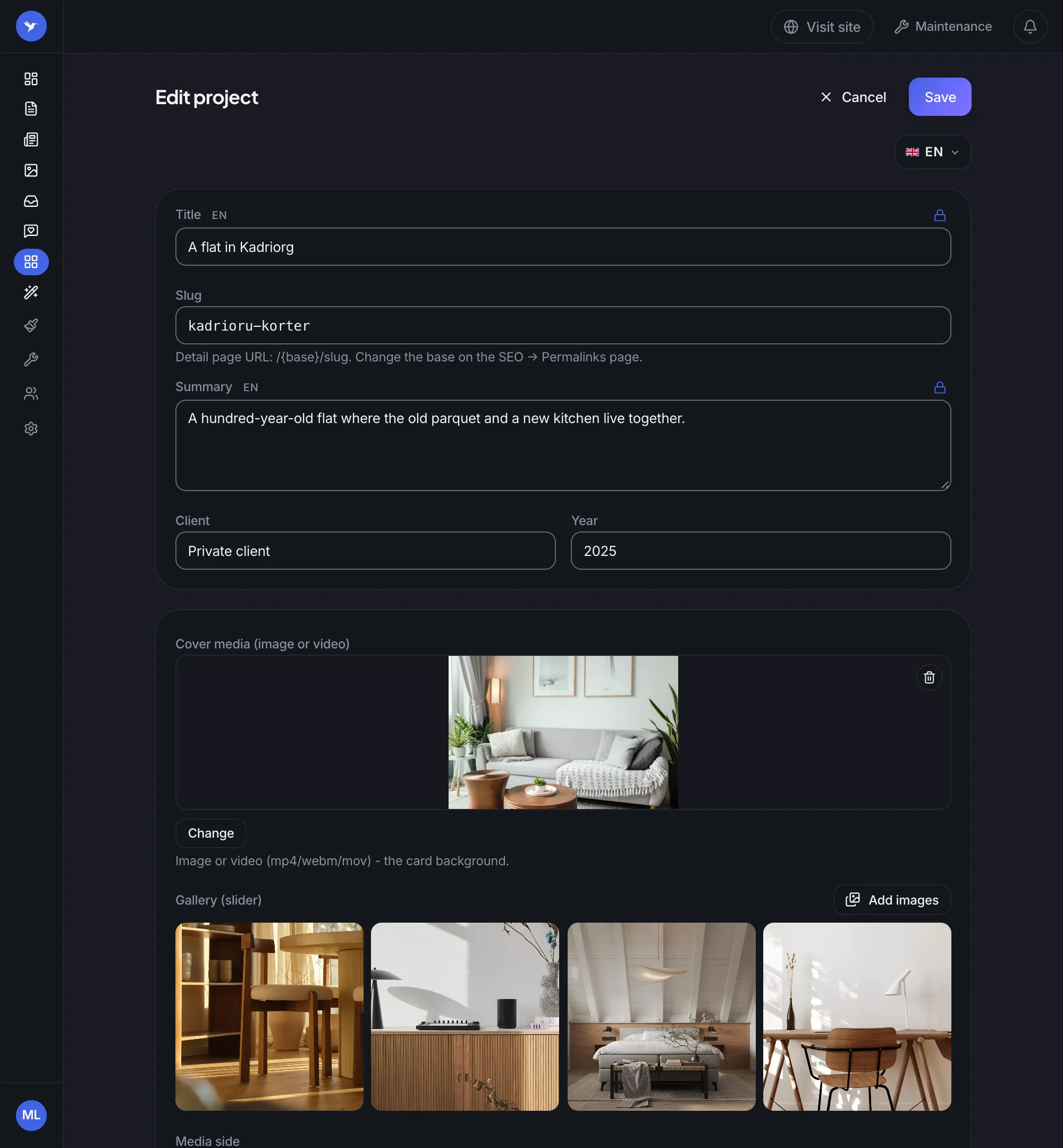
A project
Add a cover photo or a video and a gallery, write a summary and note the client and the year. Every language of your site has its own text.
The title, the summary, the badge and the story have their own text in each language of the site.
Every project can have a page of its own. You choose the first word of its address yourself.
A video cover starts playing when the visitor's pointer is on the card.
Up to 40 pictures for each project, shown on the page as a slider.
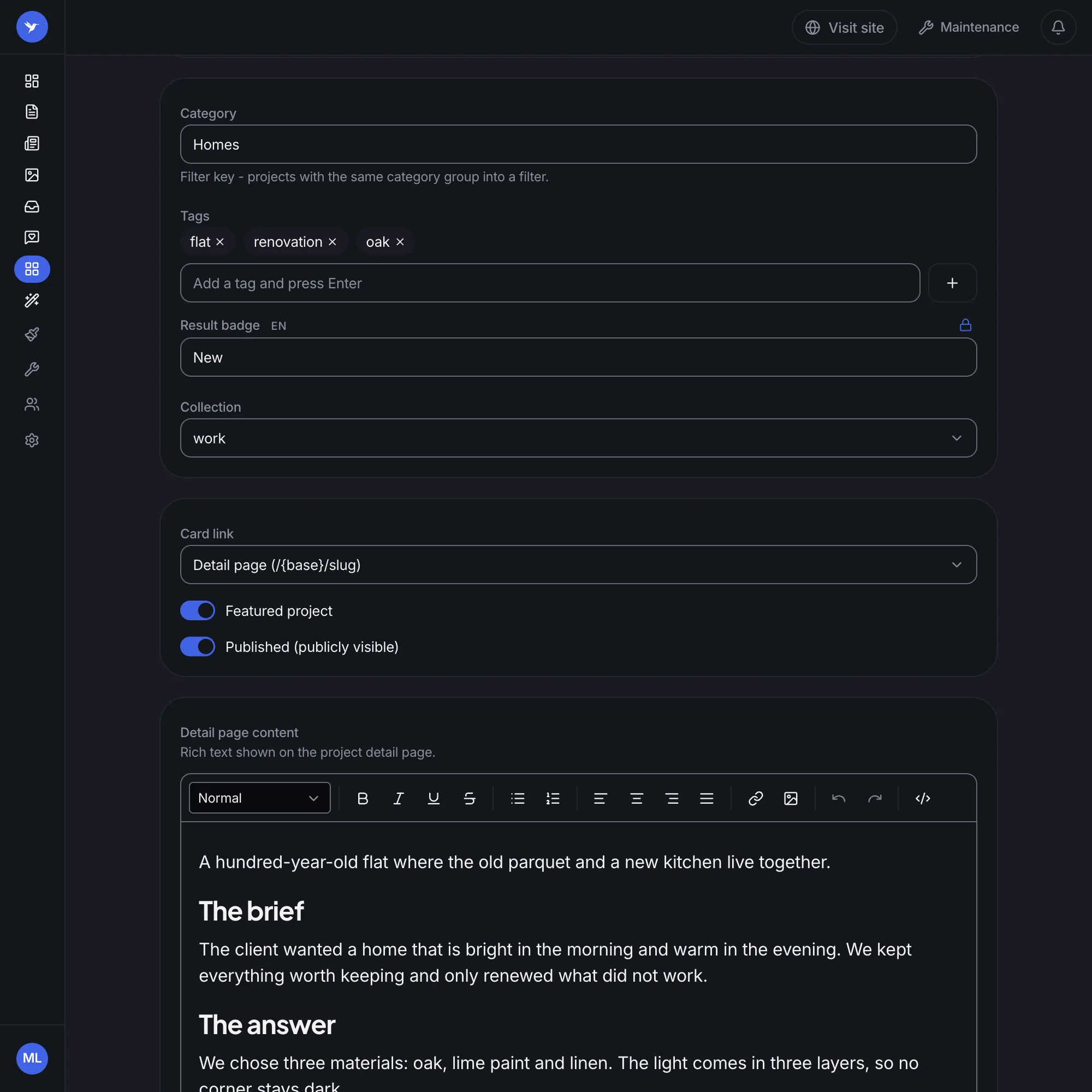
The details
The category becomes a filter button on the page. Choose whether the card leads to the project's own page or to another site, and write the project's story like an article.
Projects with the same category make one filter button on the page.
To the project's own page, to another site or nowhere.
The text of the project's page: headings, lists, pictures and links.
On the page
Add the portfolio block in the builder and pick a collection. A new project shows on the page by itself, so the page never needs to be made again.
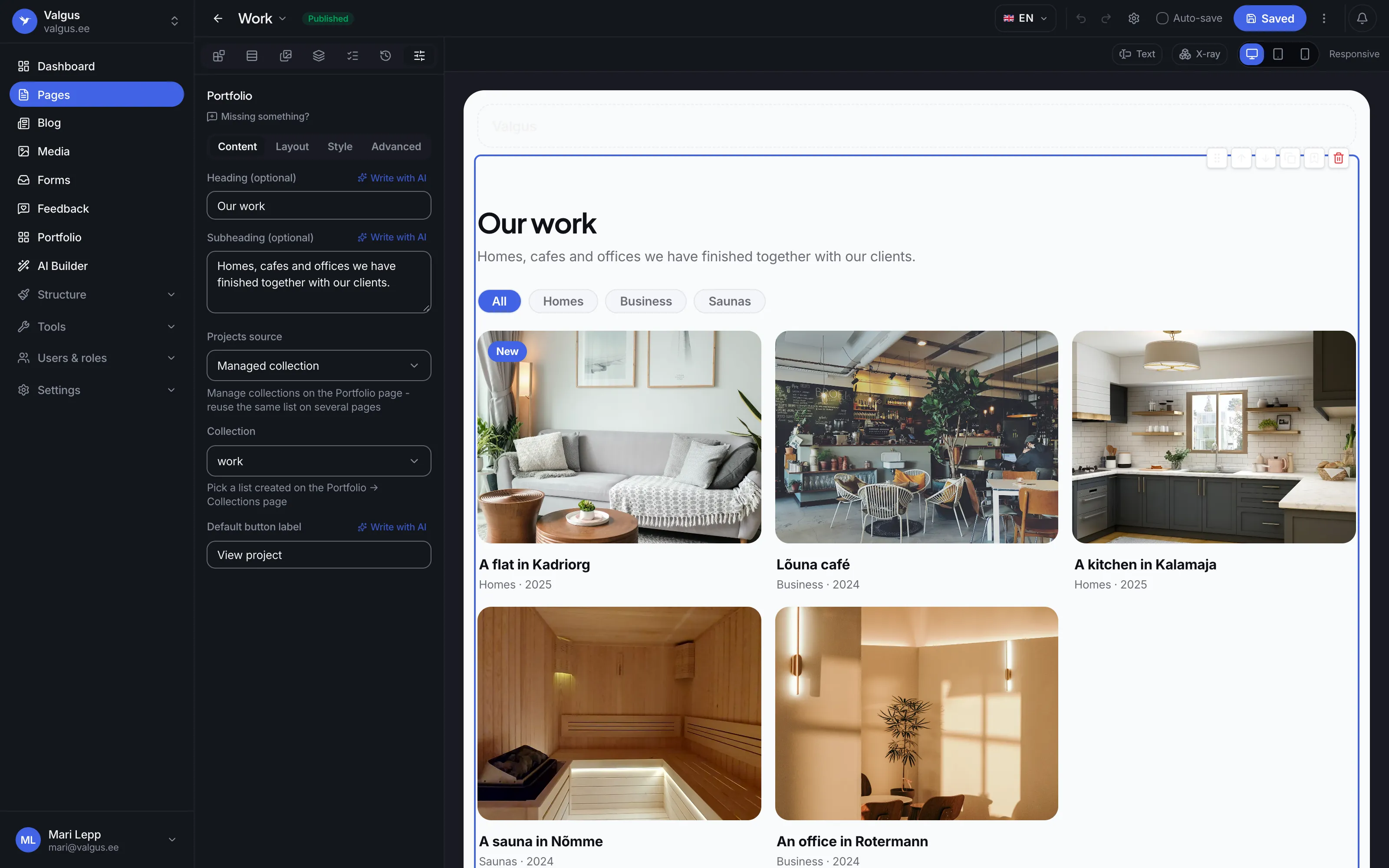
The block shows a collection from the Portfolio page. The same list can sit on several pages.
The visitor picks a category and the cards change on the same page.
New, award-winning or +40% sales: the badge tells the result.
Layouts
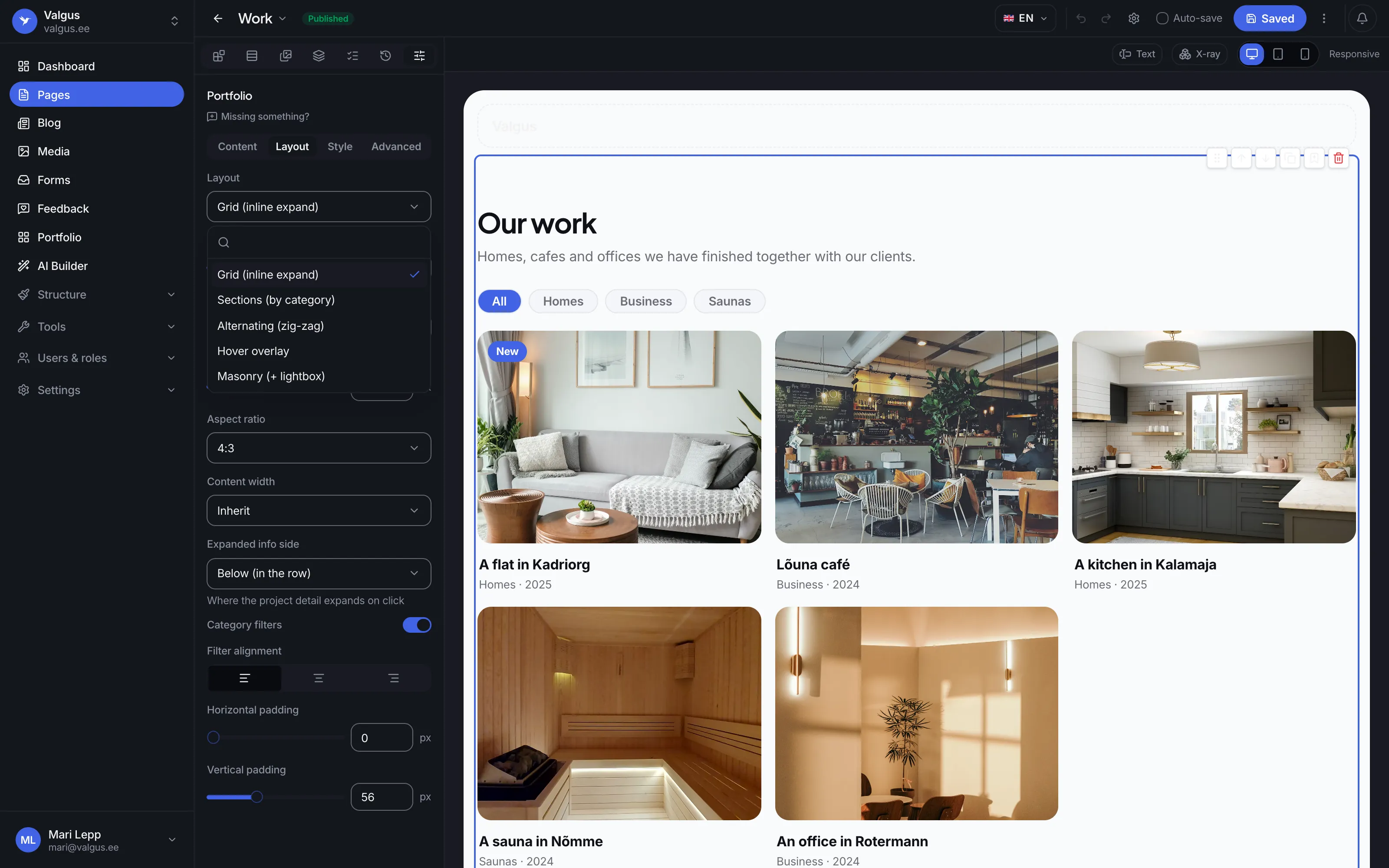
A grid, sections by category, a zig-zag, a hover overlay or a masonry wall. Pick the layout, the number of columns and the shape of the photos, and change them any time.
A grid, sections by category, a zig-zag, a hover overlay and a masonry wall with a large picture view.
In the grid, a project opens below its card with a photo slider.
A good portfolio is easy to look at and easy to find.
Project pages
A project page lives at /work/project, and you pick the first word yourself. When you change the word or a project's address, the old address sends visitors on to the new one.
Being found
Every project page tells search engines what the work is, who made it and when. Projects reach the sitemap in every language of your site.
Video
The video plays without sound only while the pointer is on the card, and stops when it leaves.
Backups
When you restore an earlier state of your site, the projects and collections come back with it.
The portfolio is in every plan, the Free plan too, and there is no limit on the number of projects.
Yes. You make a collection once on the Portfolio page, and every block that picks it shows the same list. Each block can have a layout of its own.
Yes. The title, the summary, the badge and the project's story have their own text in each language of your site. A project's address is the same in every language.
One cover photo or video and up to 40 photos in the gallery. On the page the gallery is a slider, and in the masonry layout a photo opens large.
Yes. Each project's card leads to the project's own page, to another site such as the client's website, or nowhere.
Create your site, add your first project and put it on a page with the portfolio block. The portfolio is in the Free plan too.