

Letters
A confirmation and a reminder
The client gets a confirmation with a calendar file and a reminder the day before. Letters go out in the language the client booked in. You get an email about every new booking.
Product Appointments
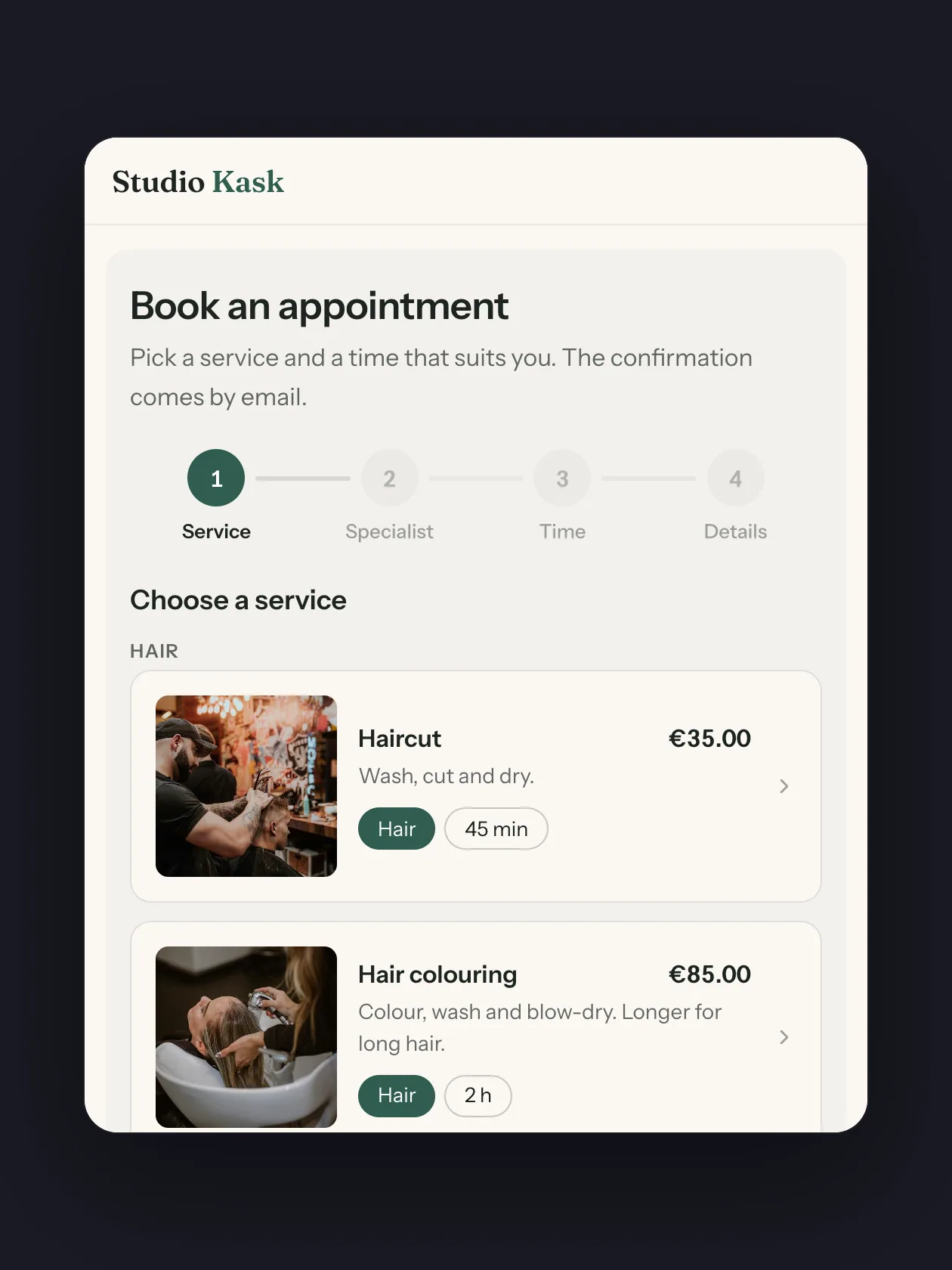
Put the booking block on any page. Clients see only the times that are really free, pick a service and a person, and get the confirmation by email. You see every booking in one calendar.
Your client's side
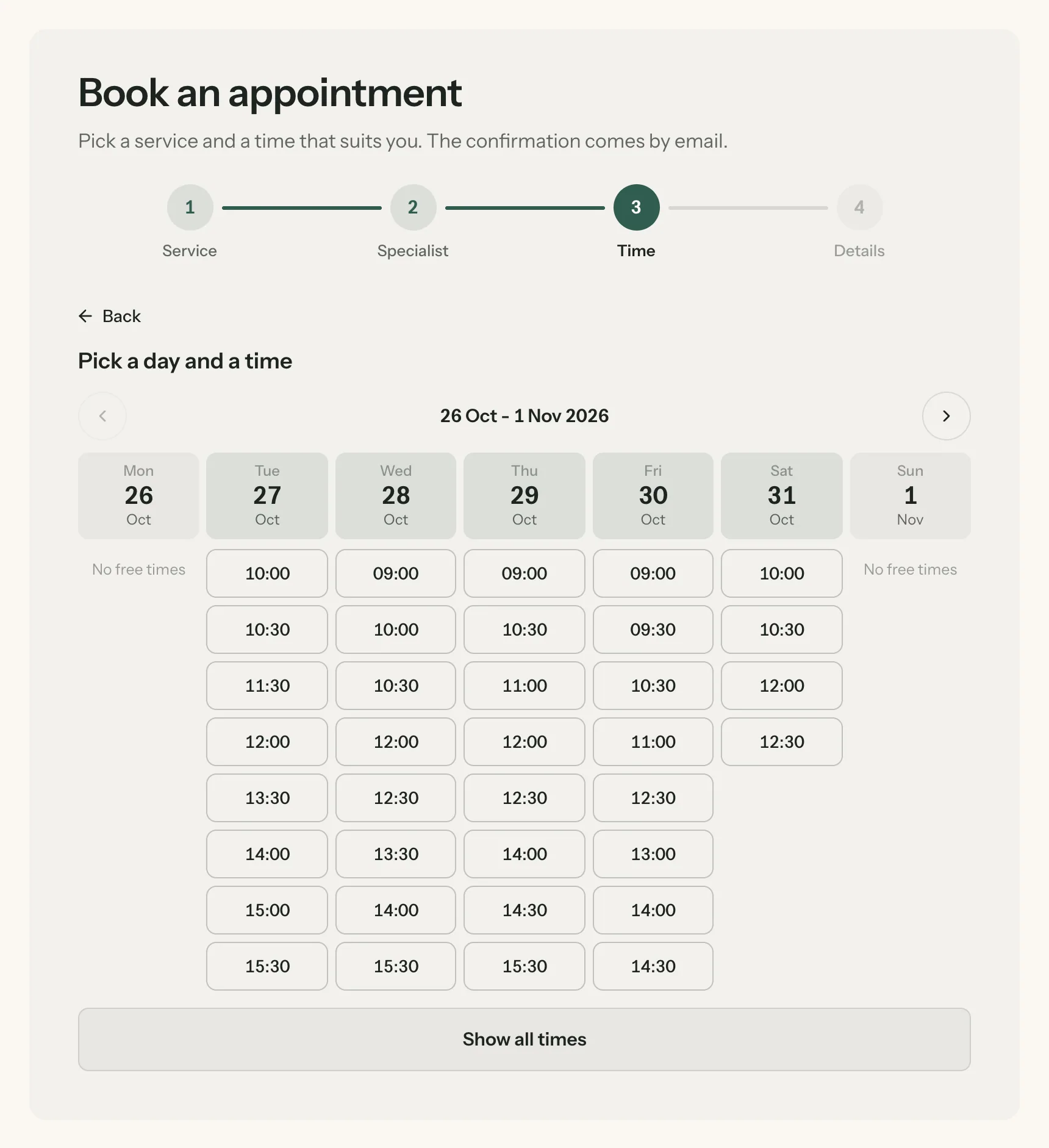
Before Husly offers a time, it checks each person's hours, the other bookings, the breaks around them and the days off. The client picks a service, a person or anybody available, and a time. Four short steps, on a phone too.
Every button is a time that is really free: the hours, the other bookings, the breaks and the days off are already counted.
A service, a person, a time and a name. The client always sees where they are.
The calendar
Every booking lands in the calendar at once, by person and by location. When a client calls, add the booking yourself. Two bookings for the same person at the same time cannot happen: the database itself refuses them.
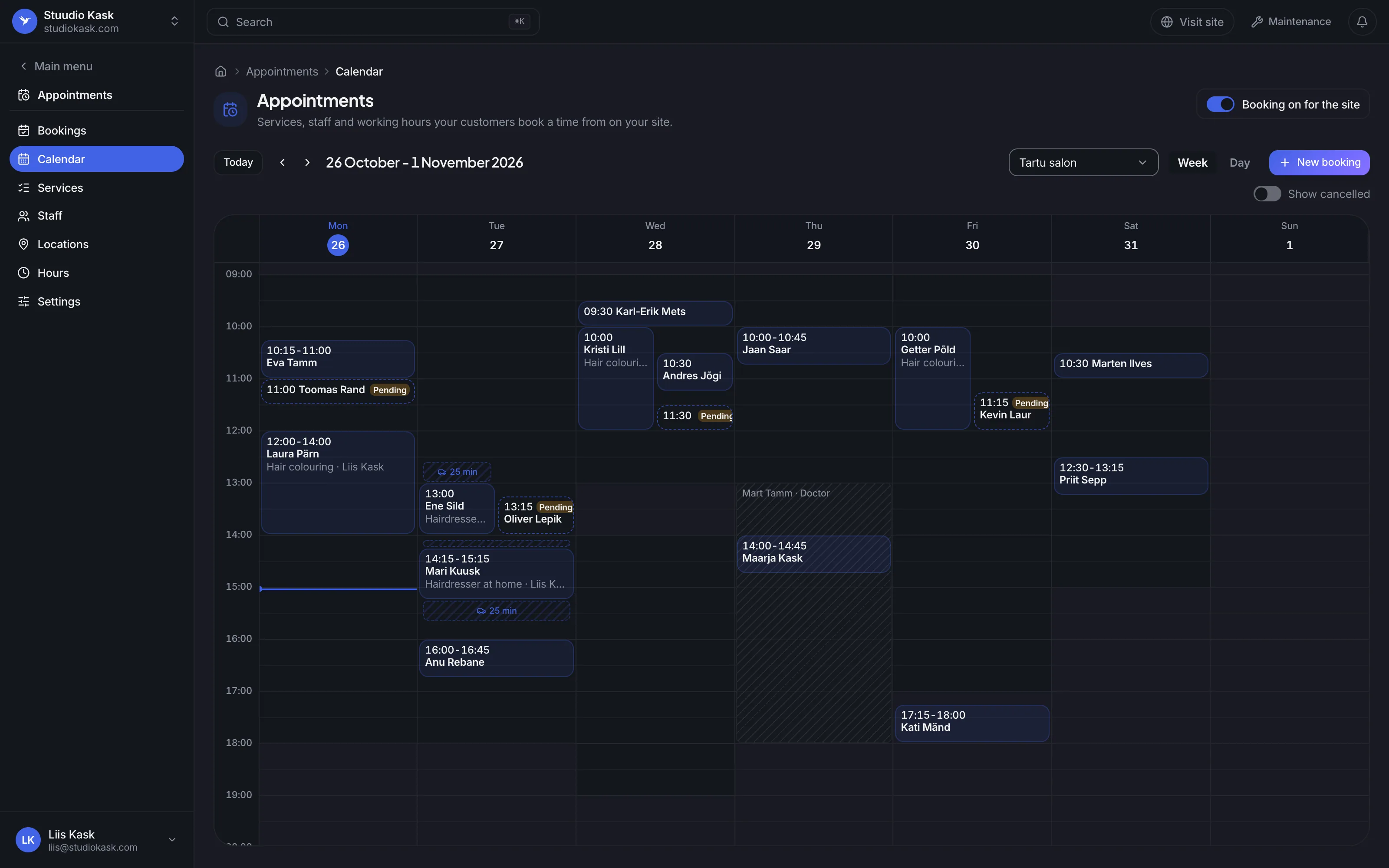
When you confirm bookings yourself, a new one waits until you do. The client gets a letter both times.
A home visit's drive there and back is held in the calendar, so nobody else books that time.
A doctor's visit, a course or a holiday: nobody can book that person then.
Services
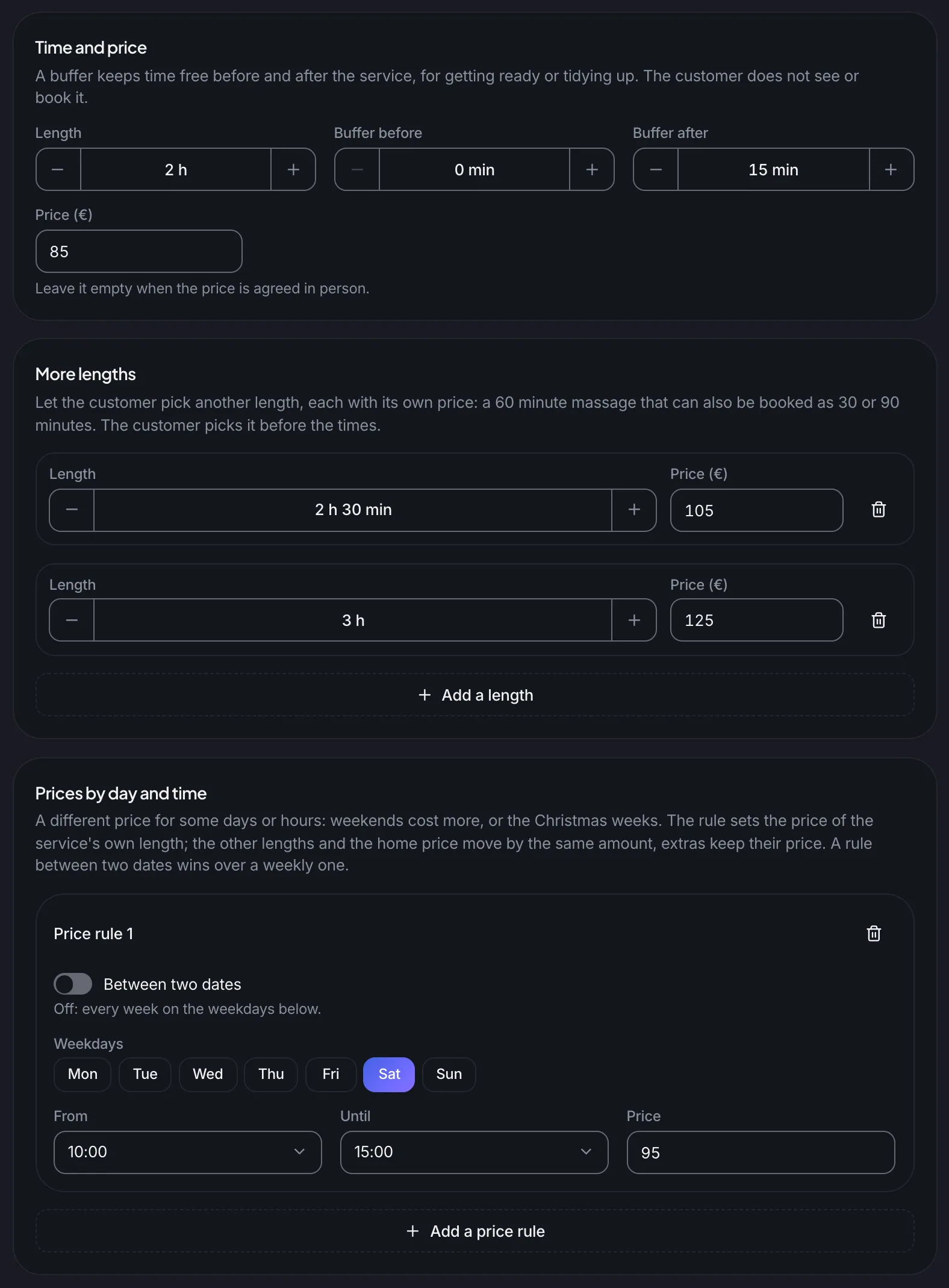
Set the length, the price and a buffer before or after for tidying up. Add longer versions with their own price, extras like a toner, and a different price for Saturdays or evenings.
Time before or after the service for tidying up. The client does not see it or book it.
2.5 or 3 hours for long hair, each with its own price. The client picks before the times.
A price by weekday, by hour or between two dates, for example at weekends or at Christmas.
Your team
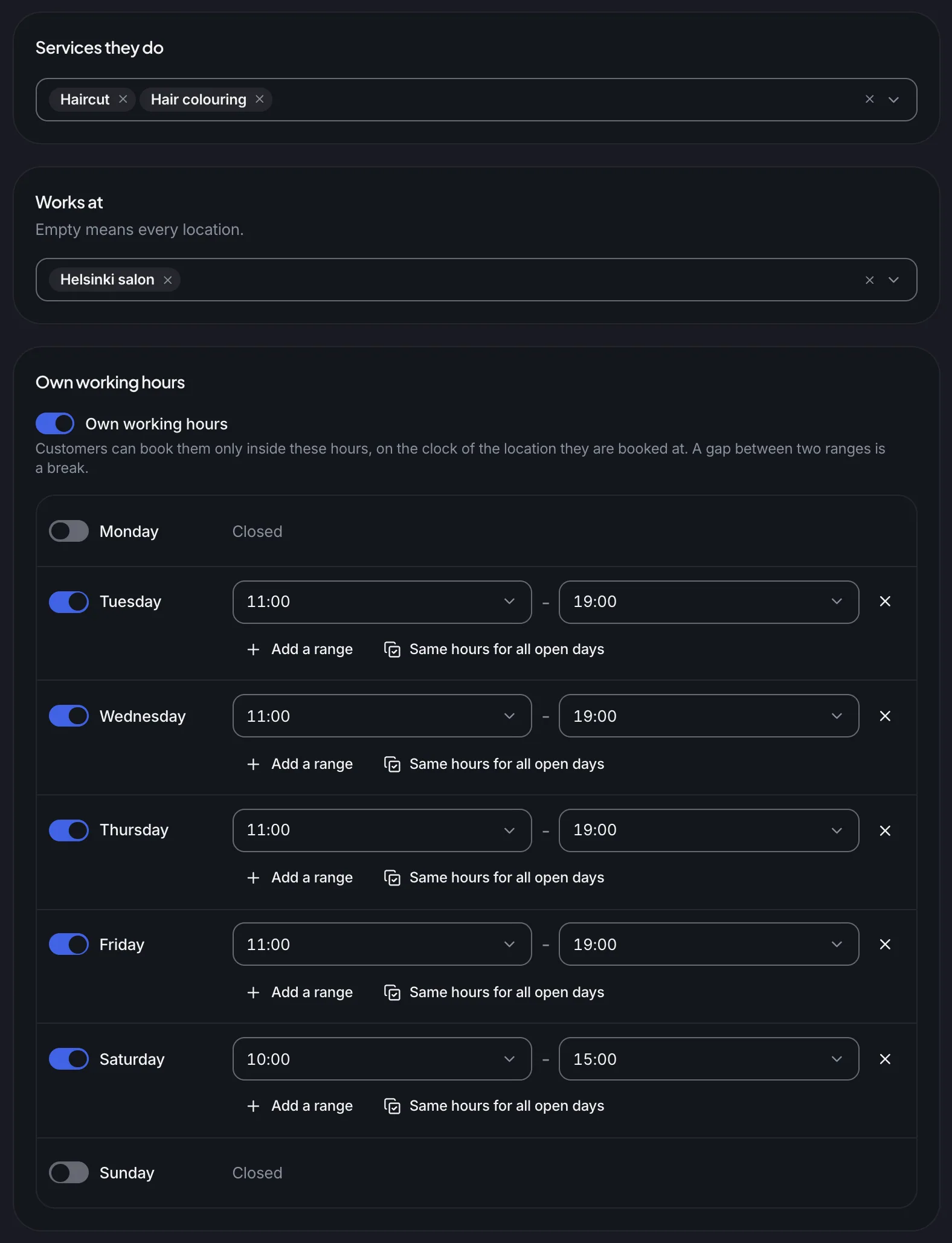
Choose who does which service, where they work and when. Days off and holidays go in once, for one person or for everybody. Each location keeps its own opening hours and time zone, so a salon in Helsinki books on Helsinki time.
With a service, the client sees only the people who do it.
Each location can keep its own time zone. The Helsinki salon's times are on the Helsinki clock.
Kadri works from Tuesday to Saturday. On Mondays no times are offered with her.
Home visits
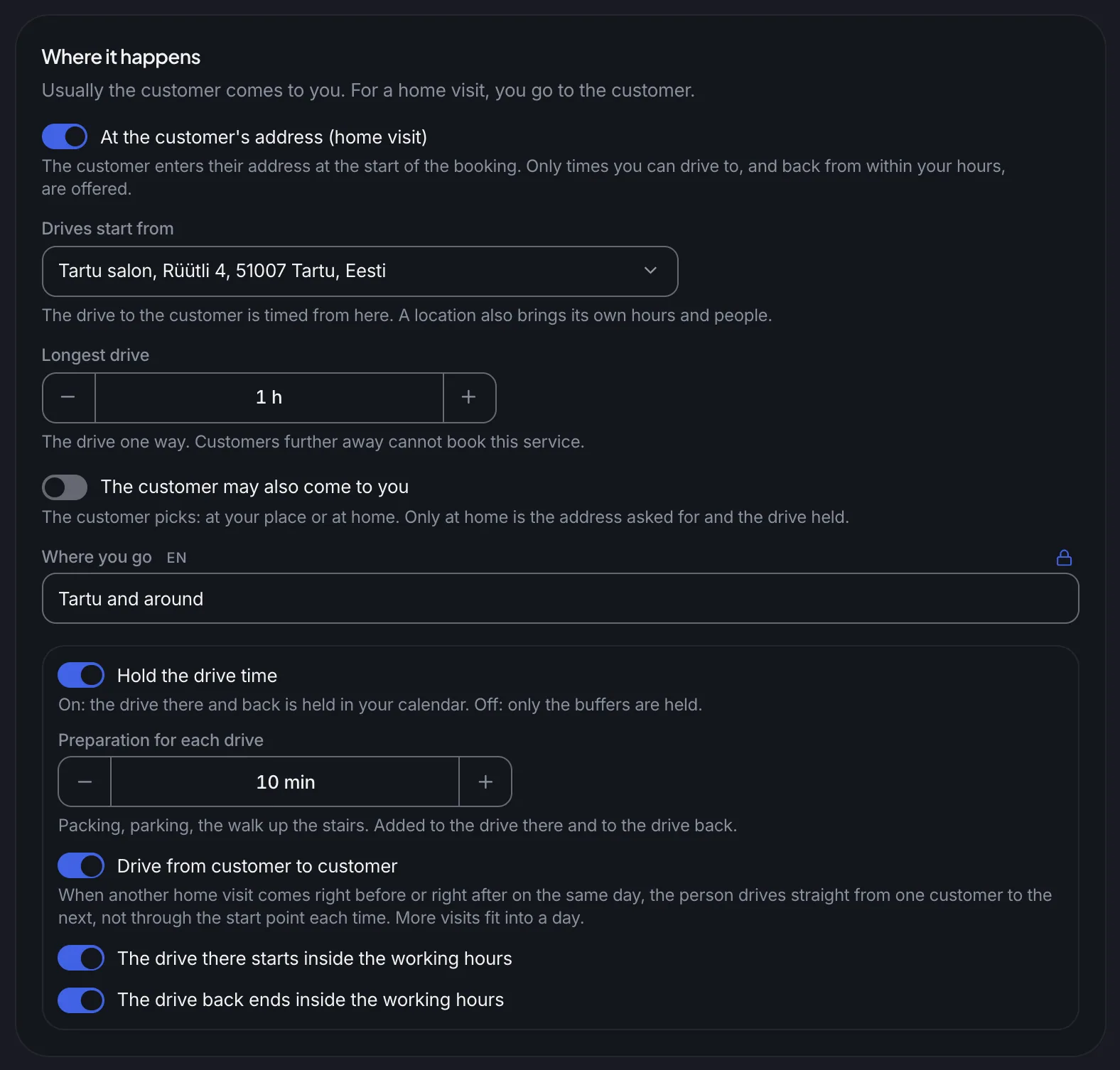
The client gives the address first. Husly offers only the times you can drive to, and back from, within your hours, and holds the drive in your calendar. Two visits in a row? The drive goes straight from one client to the next.
A client who lives further away cannot book this service, and sees so right after typing the address.
Two visits in a row: the drive goes straight from one client to the next, and more fits into a day.
The drive there starts and the drive back ends inside your hours, when you choose so.
Your rules
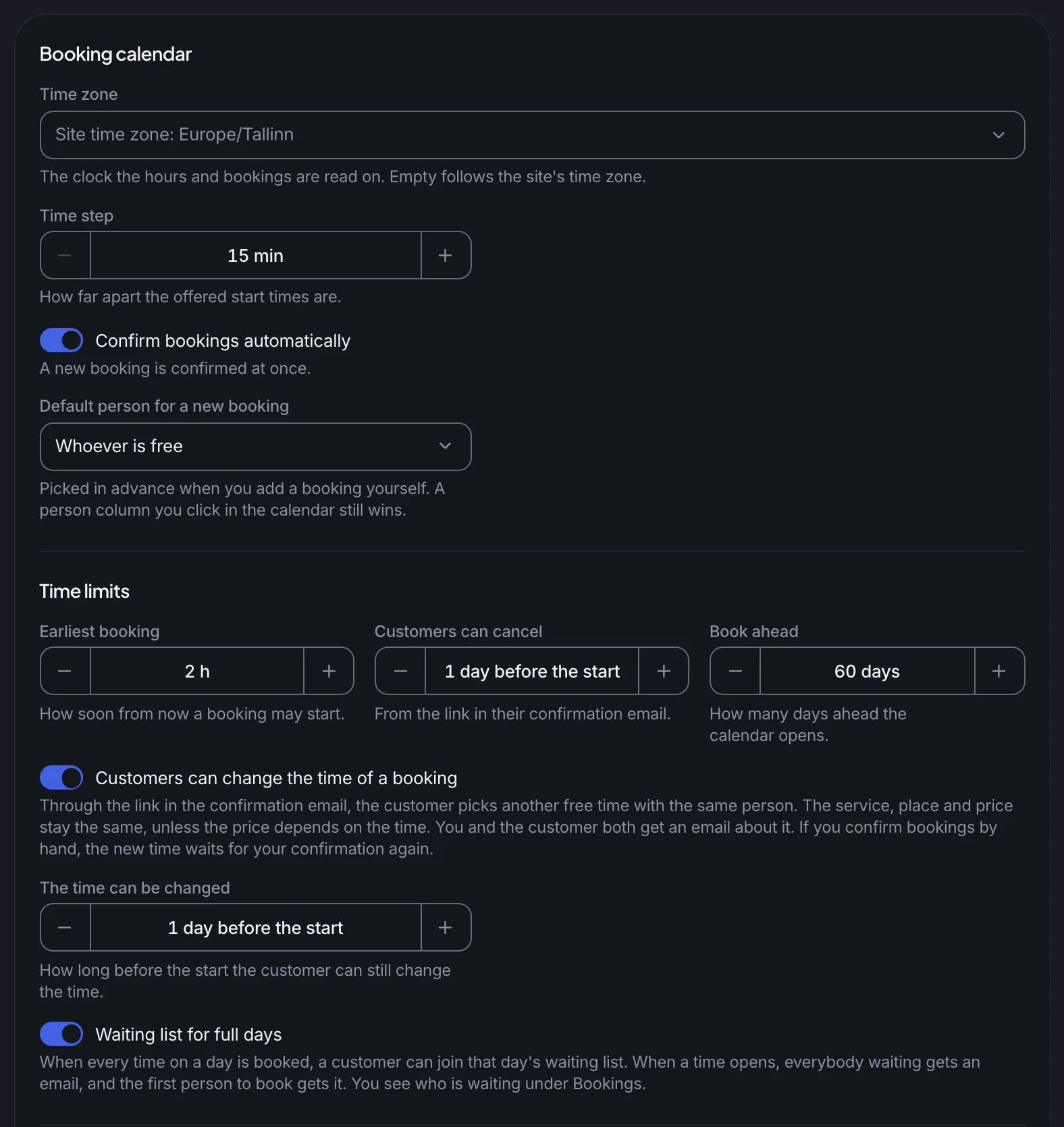
How soon a booking may start, how far ahead the calendar opens, and until when a client may cancel or move. Confirm each booking yourself or let them in at once. On a full day, a client can join the waiting list and hears by email when a time opens.
Let bookings in at once, or confirm each one yourself.
With the link in the letter, the client picks another free time with the same person. You get an email about it.
On a full day a client can join the list. When a time opens, everybody waiting gets an email, and the first to book gets it.
A booking does not end with the client's click. The letters, the reminder and your own calendar follow by themselves.
Letters
The client gets a confirmation with a calendar file and a reminder the day before. Letters go out in the language the client booked in. You get an email about every new booking.
Calendars
Connect a Google, Outlook or Apple calendar. A busy time there closes that time on your site, and your bookings can go into it.
Self-service
The letter carries a link. The client cancels, or picks a new time with the same person, up to the limit you set, without a phone call.
Your pages
Three more blocks show your services, your team and your opening hours from the same data. A Book button opens the booking with that service or person already chosen.
Appointments are in the Standard plan and every plan above it, from €14 a month. Husly takes no fee per booking.
Yes, by email the day before, and the confirmation carries a calendar file. Reminders go by email; it sends no text messages.
Yes, both ways. A busy time in your Google, Outlook or Apple calendar closes that time on your site, and your bookings can go into your calendar.
No. The database refuses a second booking for the same person at the same time, breaks included. When the client chose anybody available, the booking goes to the next free person.
Yes, with the link in their letter, up to the limit you set, for example a day before. Moving the time is a switch you turn on in the settings.
Estonian and English out of the box, and you can write its words for any other language of your site. Letters go out in the language the client booked in.
Add your services and hours, put the booking block on a page, and the first booking can come in tonight. Appointments are in the Standard plan.