

Run your rentals from one calendar and let renters get reminders on their own
Rentals got a new calendar, bookings by hand, opening hours and closed days. You choose how a renter pays and whether the deposit stays on the card, and renters get reminders and a calendar file on their own.
What this batch of updates covers
On 22 and 23 October the Rentals module got a set of tools a rental shop owner needs every day. If you rent out bikes, kayaks, cars or tools, you now see all your units in one calendar, you can make a booking for somebody who calls, and you set when the shop is open.
Rentals is a separate add-on in Husly. Every new setting starts so that your current listings work as before: the renter pays online, bookings wait for your confirmation and opening hours are off. Two new letters to renters start on, and you can switch them off.
Below are the five updates one by one: the calendar and bookings by hand, opening hours and closed days, payment and deposit, the renter's letters, and the AI draft with the location filter.
See every unit in one calendar and book for a caller
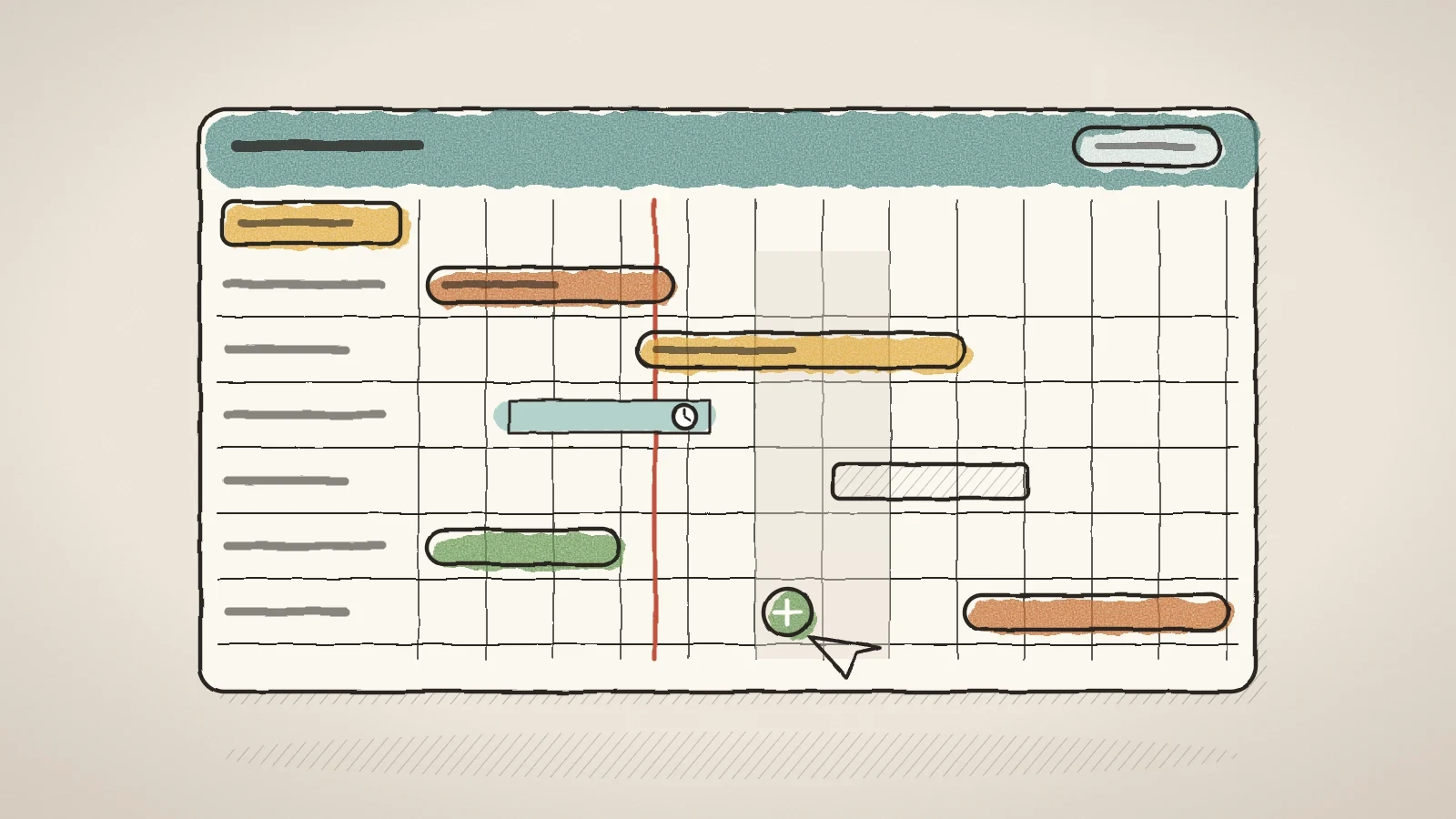
The Rentals page has a new Calendar tab beside Bookings. Every unit of every listing is one row, and the columns are four weeks. A booking is a bar with the renter's name. A request that still waits for an answer has a dashed edge and a clock icon, so you do not have to tell it by colour. Closed days are grey, with their reason.
When you have many listings, Filter the calendar in the grid's top left corner helps. Pick one or more listings, a whole category at once, or Only units with bookings. Show everything removes the filter. The browser remembers your choice for next time.
A renter who calls or walks in can now go into the system by your hand. The price comes from the listing's price list, and the dialog says at once when the dates do not work, for example when every unit is taken then.
New booking
Press it on the Bookings tab, or click a free day in the calendar. From the calendar, the listing, the unit and the day are already filled in.
Dates and renter
Pick the days, or for an hourly rental the start and the length. Only the renter's name is required; phone and email are optional.
Confirm or hold as a request
Usually you confirm at once. Also choose whether the renter gets a letter, and in which language. A renter with no email gets none.
Set opening hours, closed days and booking limits
Under Locations, each pickup place now has Opening hours. The first switch-on fills in a typical week: Monday to Friday 9-18, Saturday 10-14, Sunday closed. A rental starts only on an open day, and an hourly rental runs inside the hours. The return may fall on a closed day, so a weekend rental can come back on Monday.
For a holiday, a service or your own use there is the Closed days card. In the listing editor you close one listing or one unit, for example one bike. On the Settings tab you close the whole shop at once. Only you see the reason. The booking calendar shows these days in grey, and the date search leaves the listing out on them.
The listing's Rental rules card has two new fields:
- Longest rental, in the same unit as the price: hours, days, nights or months. An empty field means no limit.
- Bookable how far ahead, in days. With a limit of 90 days, later start days are grey in the calendar.
When you make a booking yourself, the opening hours and the notice rules do not hold you back. Closed days and the shortest and longest rental apply to you too.
Choose how a renter pays and whether the deposit stays on the card
The Rental rules card has the choice How the renter pays: Online, when booking (as before), At pickup or The renter chooses. With the last one the renter sees "Pay now by card" or "Pay at pickup" in the form. The Accept bookings automatically switch confirms a booking that is not paid online at once, without your answer. A booking paid online is still confirmed by its payment.
The Settings tab has a new Payments part. There you choose what a renter may cancel themselves in My bookings: Only unpaid requests, Also paid bookings, I send the refund or Also paid bookings, refund automatically. The amount always comes from the booking's cancellation terms, and the renter sees it before confirming. When you send the refund yourself, the booking shows Refund due.
The same part has the Deposit choice: Taken at pickup (as before) or Kept on the renter's card. With the second one nothing is taken for the deposit. If something is damaged, the booking has a Charge for damage button. You can charge up to the deposit, with a reason the renter reads, for 30 days after the rental ends.
When the deposit stays on the card, a booking with a deposit can be paid only by card, because PayPal cannot keep a card. A renter who pays at pickup still brings the deposit.
Renters get reminders and a calendar file on their own
For a confirmed booking the renter now gets two short letters. The day before the start comes a letter with the time, the pickup address, a map link and the deposit to bring. The day before the end comes a letter with when and where to bring it back, only for rentals longer than a day. A two-hour bike ride gets no such letter. The switch is on the Settings tab: Send pickup and return reminders, and it starts on.
The booking letter now carries a calendar file. With one tap the renter adds the rental to their Gmail, Outlook or Apple calendar, with the pickup address. The confirmation letter updates the same event, so the calendar does not get two entries.
When a renter reaches the payment page and leaves, they get one letter: their dates are still free, and a button leads back to the same listing with the same days. The letter goes only when the days are really free and the renter has not booked again in the meantime. The switch is Remind renters who did not finish paying, also on at the start.
Renter letters come in the language the renter booked in. Until now renters in a third language got Estonian letters. Now they get their own language when the platform has translated the text, else English.

Write a listing with AI and let renters pick by location
The listing editor has a Draft with AI button beside the language tabs. AI writes the name, the short description and the full description in every site language. It uses up to four photos and what the form already holds. In the note, write the facts the photos do not show, for example "2021, automatic, 5 seats, roof box included".
The draft comes back in parts for review, and you can take or leave each part. Use selected puts the chosen parts into the form, but nothing is saved until you press Save. AI fills only empty specification rows and does not change what is already there. It does not suggest a price. The button works with the AI package and uses the site's AI credit.
When you have several pickup places, renters can now pick by location in the rental list. The filter shows only when at least two places are in use, and the search box also finds a listing by the place name. A shop with one counter sees no new control.
Frequently asked questions
No. The renter pays online as before, bookings wait for your confirmation and opening hours stay off until you switch them on. The only new things are two letters to renters, which you can switch off in Settings.
There are no repeating closed days as such. Set Sunday to closed in the location's opening hours, and no rental starts on that day.
Not at the moment. Reminders go by email, and replies reach your bookings inbox.
Not yet. A renter can cancel as far as you allowed in Settings and book the new dates.

Try Husly on your own business
Start free, no card needed. If you have questions first, write to us and we reply within one working day.