

The pages and blog lists now show each row's SEO health at a glance
In the lists of pages and blog posts, every row now has a small badge that shows at once whether its SEO is fine, has warnings or errors, or whether the page is hidden from search.
What changed and who this matters to
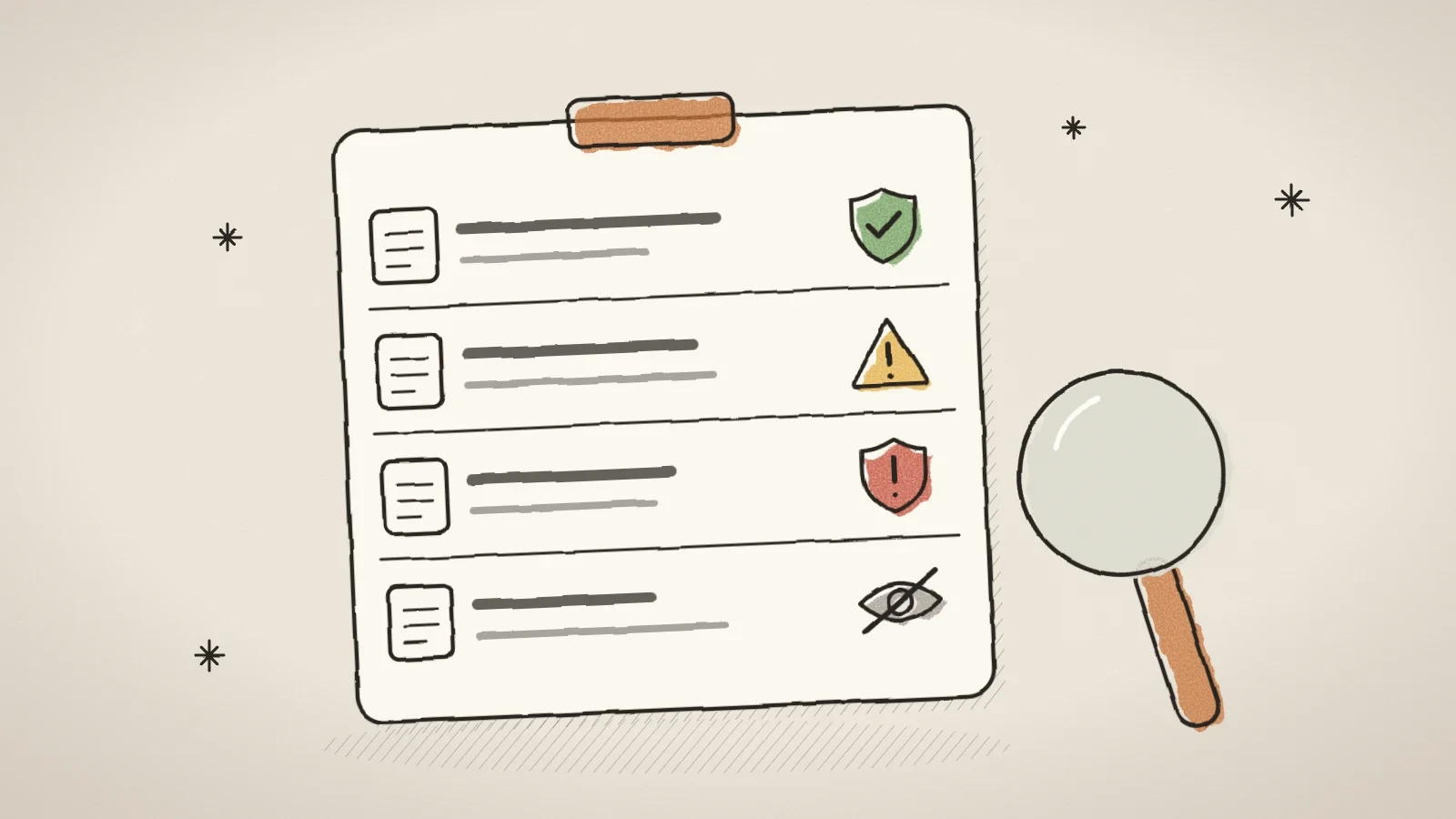
In the pages list and the blog posts list, every row now has a small SEO badge next to its address. It answers one question straight away: is something wrong with the SEO of this page or post?
Before, you only found out one step further away, in the SEO center's scan. The SEO center is good for an overview of the whole site, but not for the moment when an author actually needs the answer, while writing or just before publishing. A missing meta description used to come up only in the next scan, or at the moment of publishing when the publish check blocked it - at exactly the worst moment.
This matters to everyone who creates or edits pages and blog posts, especially when the site has a lot of content and opening the SEO center's full scan after every change is not convenient.
What the badge looks like and what it means
The badge has three states:
- Green shield - the row's meta data is fine.
- Yellow triangle with a number - warnings, for example a title that is too short or a description that is too long.
- Red shield with a number - errors, for example a missing meta title, a missing meta description or a duplicate title.
When you hover over the badge, you see each finding named in words. The wording is the same as in the SEO center and the publish check, so these three places never describe the same page differently.
If a page or post is hidden from search (noIndex), you also see a crossed-out eye icon. This applies to drafts too: there, hiding is not a finding yet, but it is worth seeing before you publish, when it becomes one.
How to use it in your work
- Open the pages list on the Pages screen or the blog posts list on the Blog screen.
- Look at the badge next to each row's address: a green shield means you can move on, a yellow or red badge means it is worth a look.
- Hover over the badge to see the exact findings in words, for example "meta title missing" or "duplicate title".
- Click the row to open the page or post editor with its SEO panel, and fix the findings there.
- Before publishing, check the rows that carry the hidden-from-search badge (the crossed-out eye), in case hiding was not intended.
The badge itself is not a button - the whole row is already a link to the editor, so a separate click target on the badge would only get in the way of the same move.
An example from everyday work
Say a marketer at a small company adds three posts to the blog in one week and twice uses the same meta title by mistake, because they copied the previous post's title as a starting point. Before, this would have come to light only in the next SEO center scan or at the moment of publishing.
Now they see straight away in the posts list that both rows have a red shield with the number 1, and hovering shows that it is a duplicate title. Because the list sees all content of the same kind at once, both copies are marked, not only the one added second. They open the post on the Blog screen, change the title in the SEO panel, and the badge turns green.
The same logic applies in the pages list: if two pages carry the same meta title by mistake, the editor sees a red shield on both rows, not only on the later page.
Where the data comes from and what this check does not do
The check runs on the server, inside the two list queries, and reuses the existing deterministic core (auditMeta in modules/ai/seo-scan.ts) through a new module, modules/seo/list-audit.ts. Each row in the response gets a compact seo object with the finding codes and the number of errors and warnings. The full data read for the check is removed from the response before it is returned, so the list does not carry data it does not use.
The check runs in the site's default content language, not in the language of the admin interface: a missing Estonian meta title is a finding on an Estonian site even when the author's admin interface is in English.
Everything that needs the page's full layout is deliberately left out: the single H1 check and the whole AEO dimension (word count, subheadings, images, freshness). Loading every page's full layout for a list query would make the screen authors use most slow. This means a row can show a clean badge while the SEO center still reports an H1 or AEO finding for it. The list badge points you to the SEO center; it does not replace it.
For the same reason, duplicates are counted only within one list - pages against pages and posts against posts. The SEO center scans pages and posts together and also sees a match between a page and a post, which neither list sees on its own.
Frequently asked questions
No. The check runs in the site's default content language. If the site is in Estonian, a missing Estonian meta title is shown as a finding even when the author's admin interface is in English.
Yes. The list badge is a quick signal, but it does not check, for example, the single H1 or the AEO dimension (word count, subheadings, images, freshness). The full picture comes from the SEO center.
The whole row is already a link to the editor of that page or post, where the SEO panel is. A separate clickable badge inside the same row would get in the way of the same move.
No, for now only within one list - pages against pages and posts against posts. A match between a page and a post is only seen by the SEO center scan.


Try Husly on your own business
Start free, no card needed. If you have questions first, write to us and we reply within one working day.